Google Shopping Feed Optimization: Expert Tips vs. Agency Bloat
- Feb 2
- 17 min read
Google Shopping feed optimization isn't just a technical task; it's the art of turning raw product data into compelling ads that grab attention, drive clicks, and generate profit. It means refining everything—from your product titles and images to the nitty-gritty attributes—to perfectly match what people are searching for and satisfy Google's ever-changing quality standards.
Think of it this way: a truly optimized feed is the rock-solid foundation of any profitable Shopping campaign. Without it, you're just building on sand, and that's a costly mistake that over-priced, bloated agencies often let happen.
Why Your Google Shopping Feed Is Bleeding Money
If you're running Google Shopping ads with a generic, out-of-the-box product feed, I can almost guarantee you're wasting a huge chunk of your budget. I see it every single day in my audits. Businesses are hemorrhaging cash because their product data is incomplete, sloppy, or just not compelling enough to win the click.
This is where the difference between an individual, expert consultant and a bloated, one-size-fits-all agency becomes painfully obvious.
Big agencies often run through a basic checklist. Their account managers, juggling dozens of clients, make sure the feed is technically "compliant," check the boxes, and move on. This cookie-cutter approach completely misses the critical details that actually stop the budget bleed and drive real performance. My entire business model is built on digging into those details because my success is directly tied to yours—not to the volume of clients I can sign.
A generic feed creates a predictable—and costly—cycle: wasted ad spend, a poor feed quality score from Google, and a dismal Return on Ad Spend (ROAS).
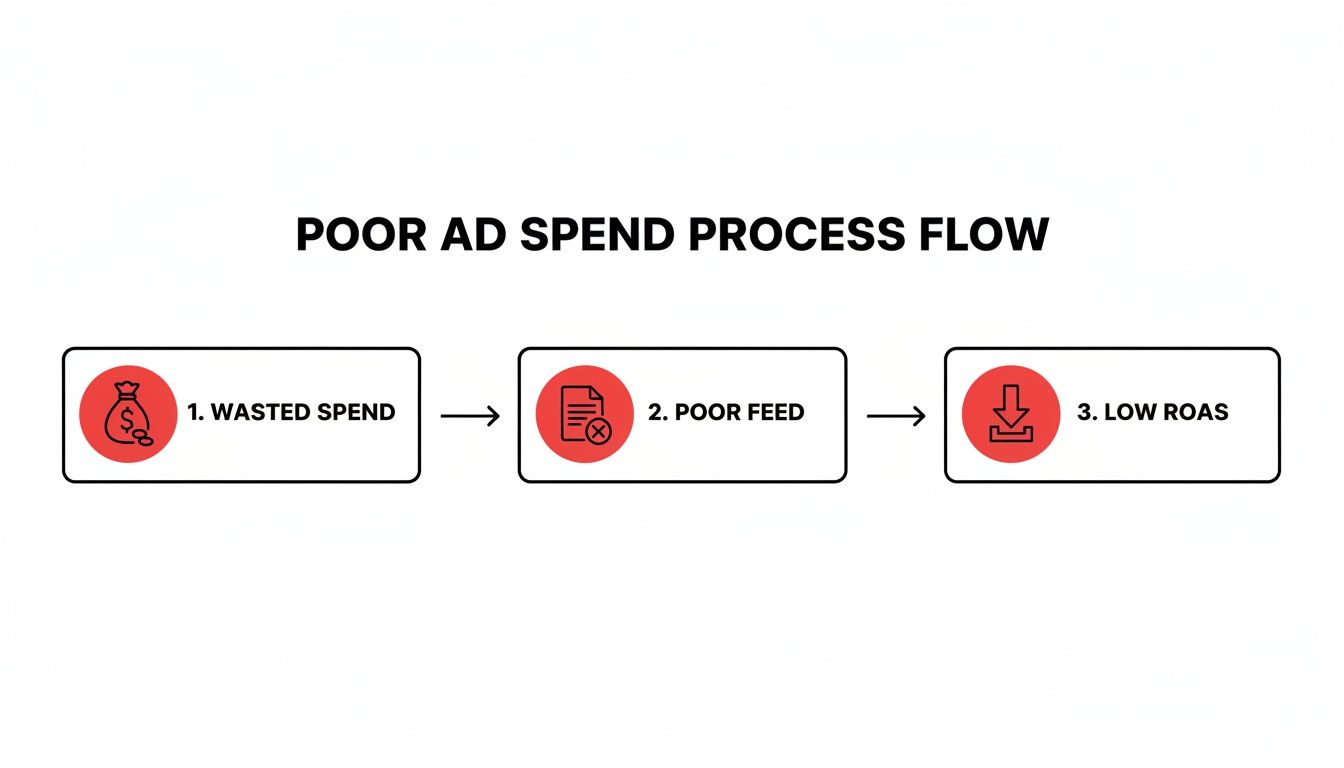
This isn't just a theory. It’s a flowchart of financial loss, a cycle that traps far too many businesses paying high retainers for subpar, impersonal agency work.
The Real Cost of a "Good Enough" Feed
So what does a "good enough" feed actually look like? It’s usually riddled with small but devastating errors that an automated, checklist-driven agency process will always miss.
We’re talking about things like:
Vague Product Titles: Using a generic title like "Men's Jacket" instead of a specific, searchable title crafted by an expert: "Men's Waterproof Breathable Hiking Jacket in Navy Blue."
Poor Image Quality: Grainy, low-resolution photos that blend into the background instead of standing out.
Missing GTINs: Forgetting these essential codes can get your branded products suppressed from auctions you should be dominating—a rookie mistake an expert would never make.
Incorrect Product Categories: This is like telling Google to show your high-performance running shoes to people looking for formal loafers. It’s a complete mismatch that agencies with no specialization often cause.
Each one of these "minor" issues is a tiny leak in your budget. On their own, they might seem harmless. But together, they create a flood of wasted ad spend that can sink your profitability. As a dedicated consultant, my job is to find and plug every single one of those leaks.
I saw this firsthand last year. A small Vermont-based outdoor gear shop was stuck with a miserable 2% click-through rate (CTR) and a 1.8x ROAS, despite burning through $5,000 a month with an agency. Their titles were bland, their images were low-res, and their categories were a mess.
We got to work. We rewrote titles with high-volume search terms, swapped in crisp 800x800 pixel images, and meticulously assigned the correct GTINs and brands. The results? Impressions shot up by 45%. Their CTR jumped to 8.2%, and ROAS hit a very healthy 4.5x in just two months. That's the power of individual, expert-led feed refinement.
This isn't just about tweaking a few settings; it's about a fundamental shift in strategy. It's the difference between a high-volume agency's checklist and a dedicated expert's focused execution.
Here's a breakdown of what that difference looks like in practice.
Agency Bloat vs Expert Focus on Core Feed Elements
Feed Element | The Bloated Agency Approach (Common Mistake) | The Expert Consultant Approach (Winning Strategy) |
|---|---|---|
Product Titles | Uses the default Shopify/Magento title. Maybe adds the brand name. | Restructures titles based on deep keyword research and user intent (e.g., Brand + Product + Type + Color). |
Product Images | Uses the first available manufacturer image, regardless of quality or background. | A/B tests lifestyle vs. product-only shots. Ensures images are high-res and visually distinct from competitors. |
Product Category | Relies on automated categorization, often leading to broad, inaccurate placements. | Manually maps every product to the most specific Google Product Category possible for maximum relevance. |
Custom Labels | Ignores them completely or uses one generic label for "bestsellers." | Builds strategic custom labels for price points, profit margins, seasonality, and performance to enable granular, profit-driven bidding. |
As you can see, the expert approach isn't about just meeting the minimum requirements. It's about using every available tool in the feed to gain a competitive edge—something a generalist agency simply isn't incentivized to do.
Stopping the Bleed with Expert Oversight
That Vermont gear shop's story isn't a one-off fluke; it's what happens when you move from a passive, agency-style process to an active, expert-driven one. As a consultant, my success is directly tied to yours. I don't have layers of management or junior staff. You work with me, and I'm motivated to dig deep into your data, truly understand your products, and treat your feed like the powerful business asset it is.
Another crucial piece of the puzzle is having strong market context, which is why mastering ecommerce competitor price monitoring is so important for staying ahead.
By focusing on these kinds of strategic, data-informed adjustments, we can turn a money-losing feed into a high-performing sales engine. To get a better handle on your own campaign's profitability, you might find our guide on how to calculate Return On Ad Spend useful.
Get Your Product Titles Dialed In—This Is Where the Money Is
Your product title is the single most important piece of real estate in your Google Shopping feed. Full stop. It's not just a label; it’s the primary targeting tool that tells Google exactly who should see your product.
This is one of those critical areas where a true specialist shines, and where bloated agencies, focused on volume over precision, consistently drop the ball.
Most agencies just pull the default manufacturer titles straight from your website. It’s the path of least resistance for an overworked account manager, but it leaves an incredible amount of money on the table. When I take on a new account, I treat every single product title as its own micro-marketing campaign, crafting it to capture high-intent search queries from people ready to buy.

The difference is night and day. A generic title dumps you into a broad, hyper-competitive auction. A specific, keyword-rich title, on the other hand, puts your product directly in front of someone who knows exactly what they want.
The Winning Formula for Product Titles
There's a proven structure for building high-performance product titles that works across almost any industry. The goal is to front-load the most critical information, since titles often get cut off on mobile devices.
The most effective formula generally follows this pattern:
Brand + Product Type + Key Attributes
Let's break that down:
Brand: Always lead with the brand name. Shoppers often search for specific brands they know and trust.
Product Type: Get specific. Instead of "Shoes," think "Men's Trail Running Shoes."
Key Attributes: This is where the real optimization happens. We’re talking details like color, size, material, model number, or even the quantity.
For something like apparel, the structure might look slightly different to better match how people actually search:
Brand + Gender + Product Type + Attributes (Color, Size)
This framework isn't a rigid rule, but it’s a powerful starting point. True expertise comes from understanding your customers and the exact language they use—the kind of deep-dive research a generalist agency can't afford to do for every client. If you need a hand with that, my article on how to select keywords for real business growth is a great place to start.
From Vague to Valuable: A Real-World Example
Let’s see how this plays out. Imagine you sell medical supplies. A lazy, agency-style approach might title a product simply: "Nitrile Gloves."
That’s painfully vague. You're forcing Google to guess who might be interested, which means you're competing against every glove seller imaginable.
An expert approach digs deeper. I think like the customer—a clinic manager, a lab technician—and build a title that mirrors their exact search query.
Before: Nitrile Gloves After: MedPride Nitrile Exam Gloves, Powder-Free, Size Large, Box of 100
The optimized title is a powerhouse. It answers a half-dozen questions right away: What brand is it? What are they for? Are they powdered? What size? How many are in the box?
This level of detail doesn't just improve your relevance score; it skyrockets your impression share for qualified searches and attracts clicks from buyers who are much closer to pulling the trigger.
The Proof Is in the Performance
This isn't just theory. I saw this exact scenario play out with a healthcare practice owner spending $20K a month on medical supply ads. Their titles were generic, and their performance was flat.
By overhauling their titles to match real-world queries—like ‘Nitrile Exam Gloves Powder-Free Size Large Box of 100’—we boosted their relevance and click-through rates almost immediately. That single focus on title structure, combined with filling out all the required product attributes, led to a 32% improvement in impression share and a 25% lift in conversions.
This is the tangible benefit of working with an individual specialist. An agency managing dozens of accounts doesn’t have the time or incentive to perform this kind of granular, product-by-product optimization. As a dedicated consultant, this detailed work is precisely how I create a winning advantage for my clients, ensuring their ad spend is not just active, but ruthlessly effective.
Making Your Product Attributes Work for You
Once you've nailed the product title, the real heavy lifting begins with your product attributes. These are the unsung heroes of a high-performing Google Shopping feed. Think of them as the detailed context that turns a generic listing into an ad that feels like it was made for the shopper. This is exactly where large, scale-obsessed agencies drop the ball. They make sure the feed is compliant, but a specialist knows the real money is in making it competitive.
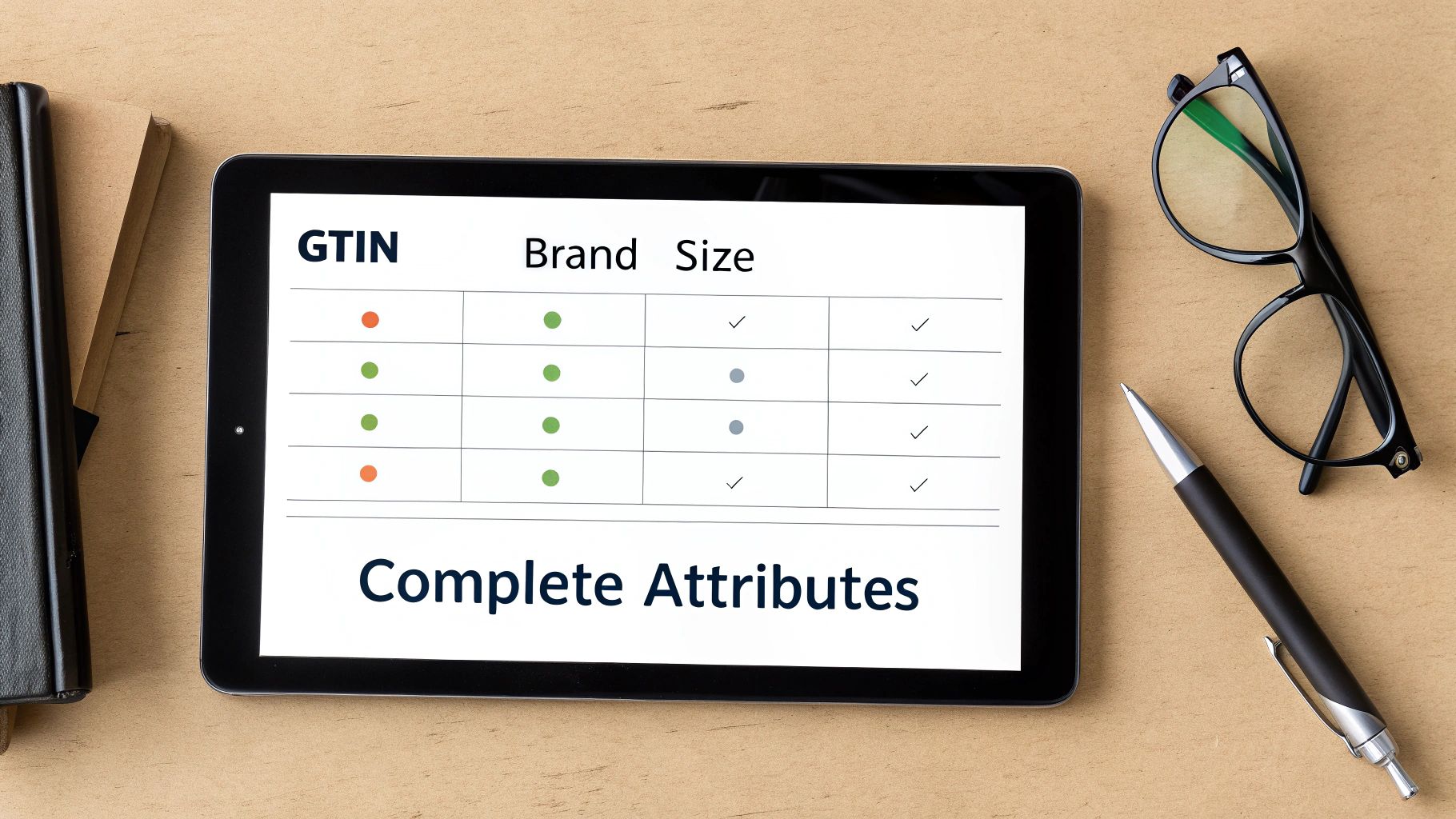
That's a critical distinction. An agency might see attributes like GTIN, brand, color, and size as just data entry. I see them as powerful signals that tell Google's algorithm precisely who your product is for. Providing complete, accurate data isn't just about avoiding disapprovals; it’s about earning Google’s trust. That trust is rewarded with better visibility and, often, a lower cost per click.
The "Non-Negotiable" Identifiers: GTIN, MPN, and Brand
Let's start with the basics that are anything but basic in practice: GTINs (Global Trade Item Numbers), MPNs (Manufacturer Part Numbers), and Brand. Big agencies often treat these as optional if they aren't immediately available—a mistake that quietly suffocates performance.
As an individual consultant, I treat these as non-negotiable for any product that has them. A GTIN lets Google precisely identify your product and place you in auctions against every other seller with the exact same item. Without it, you're practically invisible in highly competitive, product-specific searches.
GTIN: This unique barcode is your product's passport. Including it helps your ads show up for high-intent searches like "best" or "top-rated" and unlocks eligibility for various Shopping programs.
Brand: Seems obvious, but you’d be surprised how often this is missing or inconsistent. A consistent brand attribute builds authority.
MPN: For products without a GTIN (like custom parts or private label goods), the MPN is essential for accurate identification.
I’ve audited countless accounts where simply adding the correct GTINs to a feed led to a significant jump in impression share. Why? Because the products finally became eligible for the right auctions. It’s a simple fix with a massive impact that a generalist agency, with its eyes on the next client, might easily overlook.
Granular Details That Actually Drive Clicks
Beyond identifiers, attributes like color, size, and material are where you can truly set your listings apart. A large agency might automate this and settle for "good enough," but as a specialist, I dig into the nuances.
For instance, a customer isn't just searching for a "red dress." They might be looking for a "burgundy cocktail dress" or a "cherry red summer dress."
An over-burdened agency account manager will map your product’s color to "Red." A dedicated consultant will take the time to map "Macaroni and Cheese" to "Orange" if that’s how users search. We'll also make sure the specific shade name from your website, like "Crimson," is used consistently to avoid data mismatches.
This level of detail matters. Google crawls your landing pages and cross-references this data. If your feed says "Blue" but your website says "Navy," that inconsistency erodes the algorithm's trust in your data, which can lead to disapprovals or limited visibility.
Required vs. Recommended: A Niche-Specific View
The attributes that matter most can change dramatically by industry. The one-size-fits-all checklist, common in large agency workflows, just doesn't cut it. A more strategic, individualized approach is needed.
E-commerce Niche | Required Attributes | High-Impact Recommended Attributes |
|---|---|---|
Apparel | , , , , , , , , , | , , , , , |
Electronics | , , , , , , , , , , | , , , specific tech specs as custom labels |
Home Goods | , , , , , , , , , | , , , (e.g., dimensions) |
This is where a consultant's personalized approach delivers a massive advantage. I don't just fill in the blanks; I analyze your specific product catalog and customer search behavior to figure out which optional attributes will have the biggest impact. It’s about turning a simple product feed into a rich, detailed, and highly effective marketing tool that bloated agencies simply don't have the bandwidth or specialization to build.
Optimizing Images and Descriptions to Drive Conversions
Once your title and attributes get your product seen, it's the image and description that actually earn the click. This is where the real battle for conversions happens, and honestly, it's where most big agencies drop the ball.
Overloaded account managers juggling dozens of clients just don't have the bandwidth. They grab generic stock photos, slap in a feature list for the description, and call it a day. It’s a “good enough” approach that quietly kills your ROAS.
My approach is fundamentally different because my success is tied directly to yours. As a specialist, I obsess over the small details that turn a simple product listing into a compelling, clickable ad. It’s not about checking boxes; it’s about applying buyer psychology to craft visuals and copy that build trust and drive sales.
Why Your Images Are More Than Just Pictures
Your primary product image is your digital handshake. It’s the very first thing a shopper sees and the single most powerful tool you have to stop their scroll. An agency might just pull the first manufacturer photo they find and move on. I treat every image like a strategic asset.
Sure, Google has its technical rules, but just following them is table stakes.
High Resolution is Non-Negotiable: Images need to be crisp, clear, and at least 800 x 800 pixels. This isn't just a rule; it’s what allows for the zoom function that serious buyers use.
Clean White Backgrounds Dominate: The main image absolutely must have a pure white background (). It makes your product pop and creates a clean, professional look on the results page. No exceptions.
No Overlays or Text: Your main image should be just the product. Logos, watermarks, and "SALE!" banners are for other marketing channels, not here.
But the real magic happens in the supplemental images. This is where an individual specialist pulls ahead. We can add lifestyle shots showing the product in action, detailed close-ups of unique features, or even simple infographics that spell out key benefits. These extra visuals answer a customer's questions before they even think to ask them.
Writing Product Descriptions That Actually Sell
After the image grabs their attention, the description has to close the deal. Google gives you a massive 5,000 characters to work with, but most businesses—and the agencies they hire—barely use a few hundred. They just paste in a dry list of tech specs.
That's a huge missed opportunity. A great description doesn't just describe; it sells. It connects the dots between what your product is and what it does for the customer.
A feature is what your product has, like "a 10,000 mAh battery." A benefit is what the customer gets, like "staying connected all weekend without hunting for an outlet." A consultant who knows their stuff builds the entire description around those benefits.
Here’s the framework I use to turn a boring description into a conversion machine:
Lead with the #1 Benefit: What’s the single most compelling reason someone should buy this? Start there.
Weave in Keywords Naturally: Take those high-intent keywords from your product title research and sprinkle them into the copy.
Make it Scannable: No one reads a wall of text. Use short sentences and bullet points to highlight the most important details.
Answer Objections Upfront: Think like a customer. What questions would they have? Address them right in the description.
This level of detailed copywriting is something a large, volume-based agency simply can’t scale across all their clients. They don’t have time to learn the nuances of your products. I do.
The difference this focus makes is huge. I recently worked with an e-commerce brand stuck at a 2.5x ROAS despite a $10K/month spend. We overhauled their feed, focusing on sharp, zoomable images and benefit-driven descriptions. The results? Traffic from Shopping jumped 50%, conversion rates climbed 18%, and their average order value grew 12%.
That's the real-world impact of moving beyond an agency's simple checklist. If you want to dive deeper into improving your site's overall performance, check out these expert tips on how to increase ecommerce conversion rates.
The Consultant’s Edge in Advanced Feed Tactics
Once we’ve nailed the fundamentals—titles, attributes, and images are all locked in—it’s time to move into the strategic layer of Google Shopping. This is where the real competitive advantage gets built. It’s also where the detailed, profit-focused work of a dedicated consultant really separates itself from a large, process-driven agency.
A big agency's job is to keep your campaigns running. My job, as a specialist, is to make them win.
This means I go way beyond just checking the boxes for compliance. I use advanced feed tactics to make sure every single dollar of your ad spend is working as hard and as smart as possible. It's about pulling the levers that have a direct, measurable impact on your bottom line.
These are the strategies that turn a decent campaign into a dominant one. They demand a level of nuance and hands-on attention that just doesn't scale in a high-volume agency model.
Segmenting Products with Custom Labels
One of the most powerful—and often overlooked—tools in my arsenal is the strategic use of custom labels. An agency might ignore them completely or, at best, use a generic tag for "bestsellers." I use them to slice and dice a product catalog into hyper-focused bidding groups.
Think of custom labels as invisible tags you can stick on any product. This lets you group products based on your business data, stuff Google doesn't natively understand. The result? Surgical control over your bidding.
Here’s how I turn raw product data into actionable campaign intelligence:
Profit Margin: I create labels like , , and . This allows us to get much more aggressive with bids on the products that actually make you the most money, instead of treating a $10 sale the same as a $100 sale.
Seasonality: A label for or lets us push bids at the perfect time and pull back as soon as demand cools, stopping wasted spend in its tracks.
Performance Tiers: We can segment products by their actual ROAS or conversion rate, creating labels like or to reallocate budget from duds to winners.
An agency managing hundreds of accounts doesn't have the time to learn your product margins. As an individual consultant, understanding your business goals is my job, and custom labels are how I translate those goals directly into your campaign structure.
Using Feed Rules for Automated Optimization
Next up: feed rules in Google Merchant Center. These are basically automated "if-then" commands that can change your product data on the fly, without you ever having to touch your source file. This is where a specialist can build in sophisticated, ongoing optimizations that require minimal manual work.
For instance, a classic agency mistake is letting unprofitable products run, bleeding your budget dry day after day. With one simple feed rule, we can automatically pull the plug on products that are just draining cash.
Example Rule: IF > 100 AND = 0, THEN exclude product. This single rule is an automated safety net. It finds and pauses "dud" products before they can do any real damage to your profitability.
Beyond just excluding products, feed rules are fantastic for A/B testing. We can set up a rule to test a new title structure on 10% of our products and see if it boosts the click-through rate. An agency won't run these kinds of granular experiments; a consultant thrives on them because that's where huge performance gains are hiding.
For businesses looking for this level of specialized expertise, exploring Product Feed Optimisation Services can be a game-changer in deploying these kinds of advanced feed tactics.
Driving Clicks with Merchant Center Promotions
Finally, one of the most underused—and highest-impact—tactics is leveraging Merchant Center promotions. This is how you make your product listings physically pop off the page with those eye-catching "Special offer" tags that your competitors are probably ignoring.
Setting these up is more than just a standard agency checklist item. It involves creating a separate promotions feed and mapping it correctly to your products so the offers show up at the right time.
Here are promotions I constantly set up for clients that slash their cost-per-conversion:
Percentage Off: "15% off" is a classic for a reason. It's a powerful psychological trigger that gets clicks.
Free Shipping: For many shoppers, this is the single biggest deciding factor. It can dramatically increase your click-through rates.
Buy One, Get One: A perfect play for moving excess inventory or bumping up your average order value.
These promotions don't just get you more clicks; they attract a higher quality of click from shoppers who are already primed to buy. While a big agency might see this as an extra, complicated step, I see it as a fundamental part of a winning, competitive strategy.
These advanced tactics—custom labels, feed rules, and promotions—are the core of what I do. It’s all about moving beyond the basics to build a smarter, more profitable campaign structure that a bloated, generalist agency simply isn't equipped to deliver.
Your Google Shopping Feed Questions Answered
Over the years, I've sat down with countless business owners who are brilliant at what they do but are completely mystified by Google Shopping. They know their campaigns are underperforming, but they can't quite pinpoint why.
Often, they’re paying a large agency a hefty retainer, only to be met with confusing reports and lackluster results.
This section is for you. Here are direct answers to the most common questions I hear during one-on-one consultations, cutting through the jargon to give you the clarity you need. This is the kind of straightforward advice you should be getting from an expert partner, not the runaround you get from an overloaded agency.
How Often Should I Update My Google Shopping Feed?
The short answer is: as often as your data changes.
The more accurate answer is that a specialist will ensure it's updated dynamically. Many agencies fall back on a weekly or even monthly manual update, which is a recipe for disaster in a fast-moving e-commerce environment.
This lazy approach leads to costly problems:
Price Mismatches: A shopper clicks an ad for a $50 product only to find it's now $60 on your site. They bounce instantly, and you just paid for a useless click.
Availability Errors: You pay to advertise an out-of-stock product, frustrating users and wasting your budget. Google punishes these mismatches by lowering your ad visibility.
Lost Opportunities: You run a flash sale, but your feed doesn't update for three days. You miss the entire window to promote it effectively.
As an individual consultant, I ensure feeds are updated automatically and frequently—often multiple times a day. This keeps your data perfectly in sync, building trust with both customers and Google's algorithm.
Why Are My Products Getting Disapproved?
Product disapprovals are a common headache, but they’re almost always preventable. While a bloated agency might just forward you the automated email from Google and tell you to "fix it," a true partner digs in to find the root cause. My job is to be proactive, not reactive.
The most common culprits I see are entirely avoidable with proper, specialized oversight:
Landing Page Mismatches: The price, color, or availability in your feed doesn't exactly match what's on the product page.
Image Policy Violations: Your main image has a watermark, promotional text, or a non-white background.
Missing Shipping Information: You haven't clearly configured shipping rates in Merchant Center, leaving Google to guess.
Disapprovals aren't just a technical issue; they're a symptom of neglect. A hands-on consultant treats your feed health as a top priority because a clean, compliant feed is the foundation of a profitable campaign. Ignoring these "small" errors is like ignoring a check engine light—it will eventually lead to a breakdown.
Can I Just Use an App to Optimize My Feed?
Shopify apps and automated tools can be a great starting point, but they are not a complete strategy. They are excellent for handling the basics, like syncing inventory and prices. But they can't replicate the strategic thinking of an individual expert.
An app can't:
Understand Your Profit Margins: It won't know which products to push aggressively with custom labels.
Conduct Keyword Research: It won't rewrite your product titles to match what your ideal customers are actually searching for.
Analyze Competitor Strategy: It can't tell you if your pricing or promotions are falling behind.
Relying solely on an app is like asking a calculator to write a business plan. It can do the math, but it lacks the critical thinking and market awareness needed to build a winning strategy. That’s the gap a dedicated consultant fills—turning automated data into intelligent, profit-driven action.
At Come Together Media LLC, I provide the one-on-one, expert oversight that bloated agencies can't. If you're tired of generic strategies and ready for a personalized approach to Google Shopping feed optimization that delivers real results, let's talk. Schedule your free consultation today.


Comments