


Let's get straight to it. You're bleeding money on clicks from people who will never buy from you. Every dollar wasted on searches for 'free', 'jobs', or 'DIY tutorials' is a dollar that could have landed a high-intent customer.
Negative keywords are the single most powerful tool you have to protect your ad budget. It's the core discipline that separates struggling accounts from wildly profitable ones. If you're a fractional CMO or an entrepreneur managing a serious ad budget ($25k+/month), mastering negative keywords isn't optional—it's how you win.
The Biggest Lever You're Not Pulling in Google Ads
If you're managing a serious ad budget, mastering negative keywords is non-negotiable. It’s the difference between guessing where your money went and knowing precisely how it’s generating profit.
Most agencies treat negative keywords as a janitorial task, handing it off to junior staff. As a specialist consultant, I see it for what it is: the foundation of a high-performing PPC account. This is where the real ROI is made or lost.
Agencies are slow. Their layers of account managers and approval processes mean critical, budget-saving changes take weeks. When I spot a search term burning through your ad spend, I add it as a negative in minutes. This direct action immediately stops the financial bleed and reroutes your budget toward what’s actually working.
Why This Is Your Most Powerful Optimization Tool
Think of negative keywords as the gatekeepers for your entire ad spend. Without them, you're paying to have conversations with people who have zero intention of buying. To really get your campaigns humming, you have to ask: Is Your PPC Budget Spent Wisely?.
This isn't a "nice-to-have" tweak; it's essential for profitability.
Here’s why it’s so critical:
Stops Budget Waste: Instantly block your ads from showing on irrelevant searches like "jobs," "free alternatives," or "how-to" guides that attract researchers, not buyers.
Improves Conversion Rates: By filtering out low-intent traffic, you ensure the people who do click your ads are far more likely to be actual customers. This lifts your conversion rates.
Boosts Quality Score: When your ads are shown to a more relevant audience, your click-through rate (CTR) goes up. A higher CTR is a key component of your Quality Score—a metric Google uses to grade your ad relevance. A better score means lower ad costs and better ad positions.
As a dedicated PPC consultant, I'm in my clients' search term reports daily. This is a top priority. Unlike a bloated agency where your account is just one of many, my focus is singular: driving your results. Proactive negative keyword management is how I deliver superior ROI, faster.
In this guide, I’ll walk you through my exact process for using negative keywords to eliminate waste, sharpen campaign performance, and drive real growth—all without the slow execution and impersonal service of a typical agency. This is about building a profitable, efficient ad account you can finally trust.
Choosing the Right Negative Keyword Match Types
If you treat all negative keywords the same, you're lighting money on fire. The real power comes from understanding the nuances between Negative Broad, Phrase, and Exact match. This isn't just theory; it's how you surgically remove budget waste without cutting off valuable traffic.
Frankly, this is one of the biggest gaps I see between what an expensive agency says they're doing and the results you actually get. They dump a generic list into one match type, which is either too restrictive or dangerously leaky. Getting this right demands precision.
Negative Broad Match
Negative broad match is a sledgehammer. It's powerful, but it can cause collateral damage if you're not careful. When you add a word like as a negative broad match, Google blocks your ad if "free" appears anywhere in the search, in any order.
The problem? Its wide reach is also its biggest weakness. I once audited an account for a brand selling high-end, "gluten-free" baking mixes. Their previous agency had added as a negative broad match. They were literally blocking ideal customers searching for "gluten-free brownie mix." A classic, costly mistake.
I use this match type sparingly, almost always for single, universally bad terms like , , or .
Negative Phrase Match
This is my workhorse. Negative phrase match is where you gain real, intelligent control. When you add a negative keyword in phrase match, like , your ad is blocked only when someone searches that exact phrase, in that order.
Let's say you sell accounting software. You could add as a negative phrase match. This stops your ad from showing on searches like "how to use accounting software for free," but it would still show for a high-intent query like "best accounting software to use." You filter out DIY traffic while staying visible for commercial searches.
This is my default for most situations. It offers the best balance of control and flexibility. To master it, you need a solid grasp of how broad match and phrase match work for your positive keywords, too.
Negative Exact Match
Negative exact match is your scalpel. It gives you absolute, surgical precision. When you add as a negative exact match, your ad is blocked only for that exact search query—no words before, after, or in between.
I use this tool when the Search Query Report shows a very specific, low-value search that keeps popping up. For example, if a competitor's incompatible product number keeps triggering your ads, you’d use an exact match negative to block it without hurting anything else.
To go deeper on this, check out my complete consultant's guide to Broad vs. Phrase Match to see how these principles apply across your whole account.
Here’s a cheat sheet I give my clients. It breaks down exactly how each match type works and when to use it.
Negative Keyword Match Type Cheat Sheet
Match Type |
How It Works |
Example Keyword |
Example Search It BLOCKS |
Example Search It ALLOWS |
Best Use Case |
|---|---|---|---|---|---|
Negative Broad |
Blocks ads if the search contains all negative keywords, in any order. |
"blue running shoes for men" |
"tennis shoes" |
Blocking general, irrelevant concepts. Use with extreme caution. |
|
Negative Phrase |
Blocks ads if the search contains the exact keyword phrase, in the same order. |
"black mens shoes size 10" |
"shoes for men" |
My go-to for filtering out informational or irrelevant qualifiers (e.g., "how to," "free," "jobs"). |
|
Negative Exact |
Blocks ads if the search is the exact keyword phrase, and nothing else. |
"cheap shoes" |
"cheap shoes online" |
Excising specific, recurring, zero-value search queries found in your reports. |
Mastering these gives you the control to steer your budget toward the searches that actually make you money.
The art of managing a high-spend account isn't just finding bad keywords; it's applying the right negative match type to eliminate waste without damaging your lead flow. This strategic nuance is what a dedicated specialist provides—something lost in a large agency's assembly-line approach.
This simple decision tree is a great way to visualize the core problem we're solving: stopping the cash drain from irrelevant clicks.
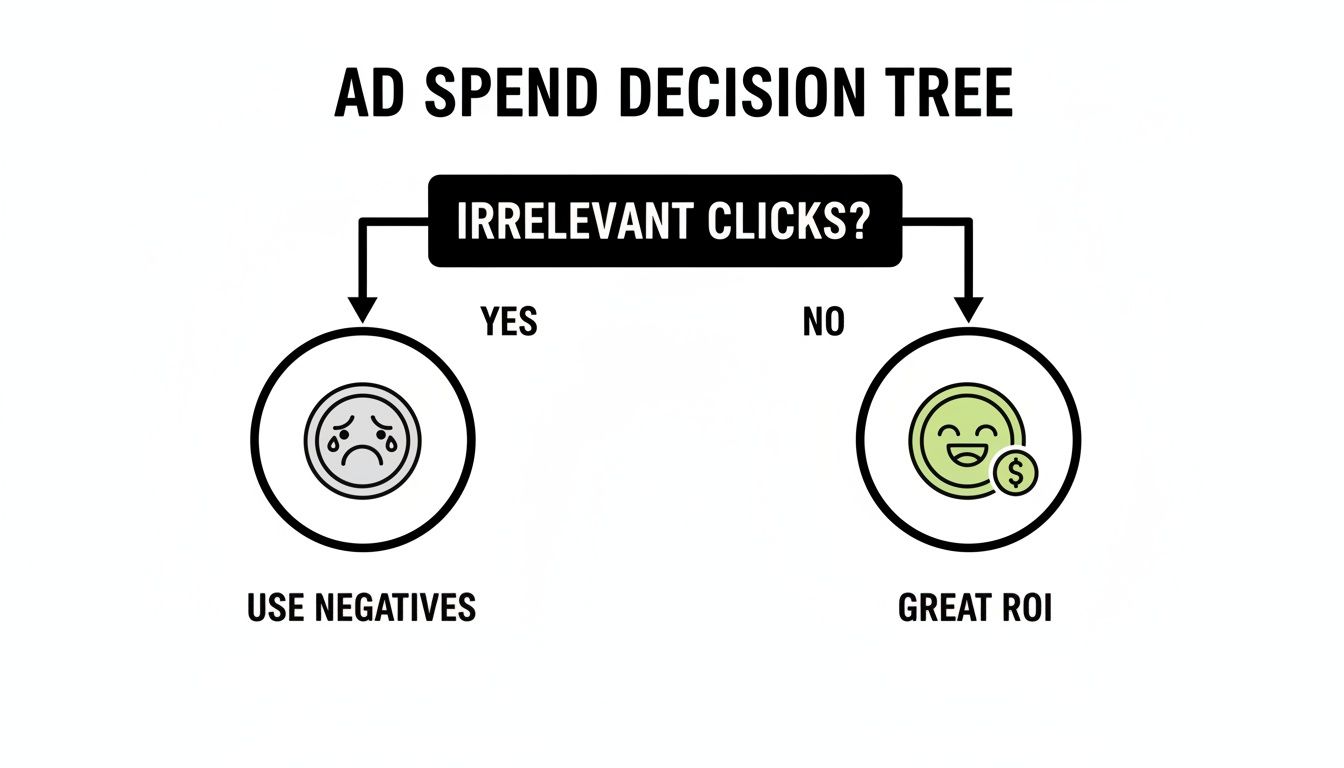
The goal is simple: stop funding irrelevant traffic and redirect that budget toward clicks that deliver a fantastic ROI. That's what a smart negative keyword strategy accomplishes.
Building Your Foundational Negative Keyword Lists
Stop playing whack-a-mole with bad search terms. The most common mistake I see is a purely reactive approach—adding negatives one by one after the budget has been wasted.
A professional setup starts with foundational lists that can be applied across your account from day one. This builds a fortress to protect your budget, rather than constantly plugging leaks. Big agencies often get this wrong, getting bogged down in reactive, one-off additions that never get ahead of the problem.
Your First Line of Defense: The Universal Negatives List
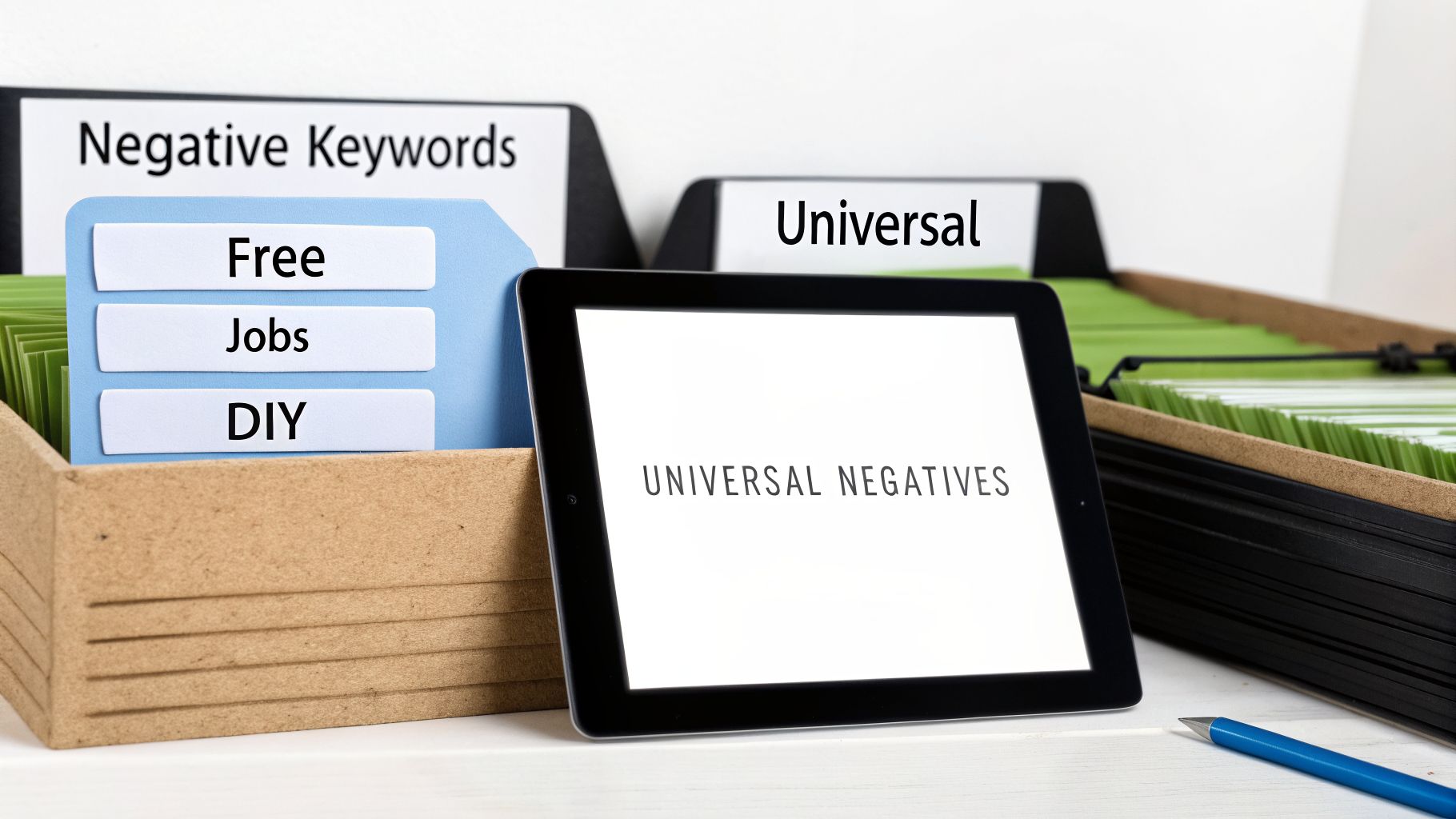
Your first and most powerful asset is a "Universal Negatives" list. Think of it as an account-wide firewall shielding every campaign from obviously bad traffic. It’s your primary defense against job seekers, freebie hunters, students, and DIY researchers.
These are the search queries that, no matter the campaign, will almost never lead to a conversion.
Job-Related Terms: , , , ,
Informational & Research Queries: , , , ,
Academic & Student Searches: , , , ,
I've spent years refining my own universal starter lists from managing high-spend accounts, and they contain hundreds of these budget-draining terms. Applying this one list to all your campaigns instantly cuts a huge slice of wasted spend. For a more robust starting point, you can check out this comprehensive list of negative keywords I've put together.
Creating Campaign-Specific Negative Lists
While a universal list is your foundation, real precision comes from campaign-specific negative lists. This is where you get surgical, tailoring exclusions to the unique context of each campaign. This nuanced work is what separates a specialist’s approach from a generalist agency’s one-size-fits-all strategy.
Let’s walk through a real-world scenario. Imagine you run an e-commerce brand with a campaign for "high-end leather boots." Your keywords are dialed in to attract buyers looking for premium quality. Your campaign-specific negative list must block any terms that signal a search for the opposite.
E-commerce Example: "High-End Leather Boots" Campaign
Price-Related Negatives: , , ,
Condition-Related Negatives: , ,
Maintenance-Related Negatives: , ,
By adding these negatives to just that campaign, you stop your ads for premium products from showing to bargain hunters. This protects your budget and drives up your Return On Ad Spend (ROAS)—the revenue generated for every dollar spent on ads. A B2B SaaS company selling enterprise software would have a completely different list, likely excluding terms like or .
Building foundational lists is a one-time setup that pays dividends for years. It's the strategic groundwork that allows your campaigns to run more efficiently, freeing up my time—and your budget—to focus on growth, not cleanup.
A Critical Update to Performance Max Campaigns
This structured approach has become even more critical. In March 2025, Google fundamentally changed Performance Max campaigns by increasing the negative keyword limit from a restrictive 100 to an expansive 10,000 per campaign. For any CMO managing a budget over $25k a month, this was a game-changer. It transformed PMax from an uncontrollable black box into a tool we can finally direct with precision.
This update makes a structured, list-based approach not just smart, but essential for anyone serious about scaling their ad spend effectively.
The Profit Filter Strategy for Broad Match and PMax
In the world of AI-driven Google Ads, running Broad Match and Performance Max without the right guardrails is like leaving your wallet on a park bench. Reactively adding negative keywords one by one is too slow. You're playing whack-a-mole with your budget, and you're going to lose.
This is where my "Profit-Filter" strategy comes in. It's a proactive framework I use to protect your margins by blocking entire categories of low-intent traffic before they ever cost you a dime. We're not just blocking words; we're cutting off concepts that are poison to your ROI. It's the kind of high-level thinking that separates a focused specialist from a generalist agency.

Shifting from Words to Concepts
With today's Broad Match and PMax campaigns, Google's AI looks beyond specific words to focus on user intent. That's why your ad for "best running shoes" might get triggered for a search like "how to fix running shoes"—the AI just sees a thematic link. The Profit-Filter strategy pushes back by telling the algorithm what your ideal customer is not.
Here’s how it works in practice:
For a dermatology client, we don't just add "free." We block the entire concept of self-treatment by adding phrase match negatives like , , and .
For an e-commerce store selling premium kitchenware, we block the bargain-hunter mindset with negatives like , , and .
This conceptual approach gives Google's algorithm a sharp, clear directive. You're teaching it what kind of traffic is off-limits, forcing it to focus on users ready to buy. This is a core pillar of how I manage negative keyword adwords.
The Profit Filter in Action: A Real-World Case Study
This isn't just theory. One of my clients, a B2B SaaS company, was getting hammered by rising costs in their broad match campaigns. We rolled out a strict 'Profit-Filter' strategy targeting these low-intent concepts.
Within 60 days, we saw a 28% decrease in cost-per-acquisition (CPA) while simultaneously driving a 45% increase in qualified leads. That’s the power of focusing on intent rather than just reacting to individual search terms.
This strategy is particularly crucial for scaling Google Shopping. Data shows that campaigns using this method can see their ROAS jump by over 200% in just 60 days. For e-commerce brands, that's a game-changer. You can see more data on how this impacts Google Shopping campaign performance on BrightBid.com.
An agency will report on clicks and impressions. A specialist finds the patterns inside those clicks and builds a strategic filter to protect your profitability. The Profit-Filter turns broad match from a budget leak into your most powerful scaling tool.
Applying This Strategy to Your Account
You can put this to work in your own account right now. Think bigger than the obvious "free" or "jobs" negatives. Brainstorm the types of searchers who will never convert, no matter how good your ad is.
Here's your actionable takeaway:
Create a new negative keyword list in your Google Ads account named "[Your Brand] - Profit Filters." Start adding phrase match negatives that represent entire categories of searchers you don't want.
Selling a B2B service? Add negatives like , , and .
A luxury brand? Add , , and .
A local service business? Add , , and .
This proactive approach to managing your negative keyword adwords is what drives bottom-line improvements. It shifts you from a defensive, reactive posture to an offensive one, where you dictate the terms of engagement to Google’s AI.
The Ongoing Work Most Agencies Skip (And Why It Costs You)
Let's be blunt. Building initial negative keyword lists is just the entry ticket. The real work—the part that generates long-term value—is the constant, disciplined maintenance.
This is exactly where most agencies drop the ball. They'll set up some lists, check a box, and move on. But if no one is checking the engine week after week, you're guaranteed to be leaking cash. This isn't just tedious busywork; it's the strategic practice that stops budget waste before it starts.
As a specialist, the Search Query Report (SQR) is a goldmine. For large agencies, it's often a low-priority task for a junior associate. For me, it's where I find the insights that drive real ROI, plugging leaks and uncovering new pockets of high-intent traffic.
A Weekly and Monthly Workflow for SQR Dives
Your Search Query Report shows you the exact phrases people typed before clicking your ad. Ignoring it is like having a focus group next door and keeping the door shut.
Here's the actionable workflow I use. This is the hands-on work you should expect from a true PPC partner.
The Weekly Quick-Scan (15-30 minutes):
Hunt for High-Volume Waste: Sort your SQR by clicks or impressions. Zero in on the top 20-50 queries.
Spot the Obvious Losers: See glaringly irrelevant terms? Add them as phrase or exact match negatives. Immediately.
Check Your Flanks: Ensure competitors aren't sneaking in on your brand terms and that your brand searches are converting.
The Monthly Deep-Dive (1-2 hours):
Find Conversion Drains: Look for terms racking up clicks with zero conversions. These are prime candidates for negation.
Uncover Hidden Gems: The SQR isn’t just for finding bad keywords. You'll often find highly relevant, high-converting queries you aren't bidding on. Add them as new keywords.
Review Your Block List: It's rare, but sometimes a negative keyword is too restrictive. It's worth a quick check to ensure you haven't accidentally blocked a valuable search variation.
How to Prove This Work Is Worth It
How do you show this maintenance is paying off? I use a simple but powerful metric in my client reports: Wasted Spend Prevented. This isn't a vanity metric; it’s a direct measure of your optimization ROI.
The formula is straightforward: (Impressions of the negated query) x (Historical CTR) x (Historical CPC) = Wasted Spend Prevented. When I can show a CMO I saved them $1,500 this month just by being diligent, the value of my work becomes undeniable.
This proactive management is more critical than ever. A Google update in June 2024 made negative keywords smarter by automatically blocking misspellings and other close variants, which saves some time. But that automation is no substitute for strategic human oversight. Studies show that regular, hands-on optimization can slash wasted spend by an average of 25%, which can lead to ROI gains of over 50%. If you're curious about broader keyword trends, you can explore WordStream's insights into Google Ads keywords.
This is the level of detail and ongoing management you should demand. If your current partner isn't delivering this, it might be time for a change. A great place to start is with my comprehensive PPC audit checklist.
Answering Your Negative Keyword Questions
When I’m managing high-spend accounts, the same questions always come up from CMOs and business owners. Let's cut the fluff and get straight to the answers you need to get your ad spend under control.
How Often Should I Review Search Terms for New Negatives?
If your account spends over $25,000 a month, this needs to be a weekly review. Period. At that budget, you have to move quickly to plug leaks before they turn into floods.
For smaller accounts, a bi-weekly or monthly deep dive will usually suffice.
The key is making it a non-negotiable part of your workflow. This isn’t a low-level task you can delegate and forget; it’s a high-impact strategic activity. Put a recurring reminder on your calendar and treat it like a client meeting.
Can I Use Too Many Negative Keywords?
Yes, but it's not about the number. The real risk is using the wrong type of negative keyword.
I see this all the time: people get reckless with broad match negatives and end up blocking valuable long-tail traffic by mistake. It's much safer—and smarter—to be surgical with your negative phrase and exact match types.
Google's platforms are built to handle massive lists, often over 10,000 per campaign. Forget about quantity. Focus on precision. A sharp, curated list of 500 specific negatives will always outperform a sloppy list of 5,000 broad ones.
The goal of a negative keyword adwords strategy isn't to build the biggest list. It's to build the smartest one. Precision stops waste; recklessness stops growth. That's a distinction many large agencies miss.
Do Negative Keywords Hurt My Quality Score?
This is a stubborn myth. The truth is the complete opposite: adding the right negative keywords is one of the best ways to improve your potential for a higher Quality Score.
Think about it. Quality Score is all about relevance, and a huge part of that is your click-through rate (CTR).
When you use negatives to block irrelevant searches, you guarantee your ads are only shown to people who are actually looking for what you sell. Those people are far more likely to click. A higher CTR signals to Google that your targeting is on point, and the algorithm rewards you with better ad positions and lower costs.
To learn more about this dynamic, check out my guide to smarter Google Ads.
Managing a high-spend PPC account demands more than just relying on automated bidding. It requires strategic oversight and direct, expert action. If your current agency feels impersonal and your results have flatlined, it’s probably time for a change.
As an independent specialist, I work directly with you. We’ll cut through the noise, eliminate wasted ad spend, and build a profitable strategy you can actually understand and trust.
Let's have a real conversation about your goals.
Schedule Your Free Consultation Today
