


You’re probably in this spot right now. Your team is spending heavily on Google Ads, your dashboards say the account is “stable,” and yet when you try to find your website on Google for the terms that matter, you either don’t show up or you show up in all the wrong places.
That’s not a side issue. It’s a strategic failure.
If your paid media team can’t tell you where your site stands organically, they’re flying blind on keyword strategy, landing page alignment, and intent mapping. Big agencies split this into departments, then hand you a stitched-together report and call it integrated marketing. It isn’t. It’s overhead disguised as expertise.
A specialist looks at organic visibility and paid search together. That’s where the advantage is. If you know how your site appears, what Google has indexed, which queries already generate impressions, and where technical issues are choking discovery, you can make better PPC decisions fast. Better ad copy. Better landing page choices. Better bidding. Less waste.
Why Your Organic Visibility Is a PPC Problem
If you can’t find your website on Google, you don’t just have an SEO problem. You have a customer acquisition problem.
Organic search is where intent shows itself without the distortion of media spend. People type what they want. Google tells you which pages it trusts. Your site either earns visibility or it doesn’t. If your PPC team ignores that signal, they’re guessing. And when you’re spending serious money, guessing is expensive.
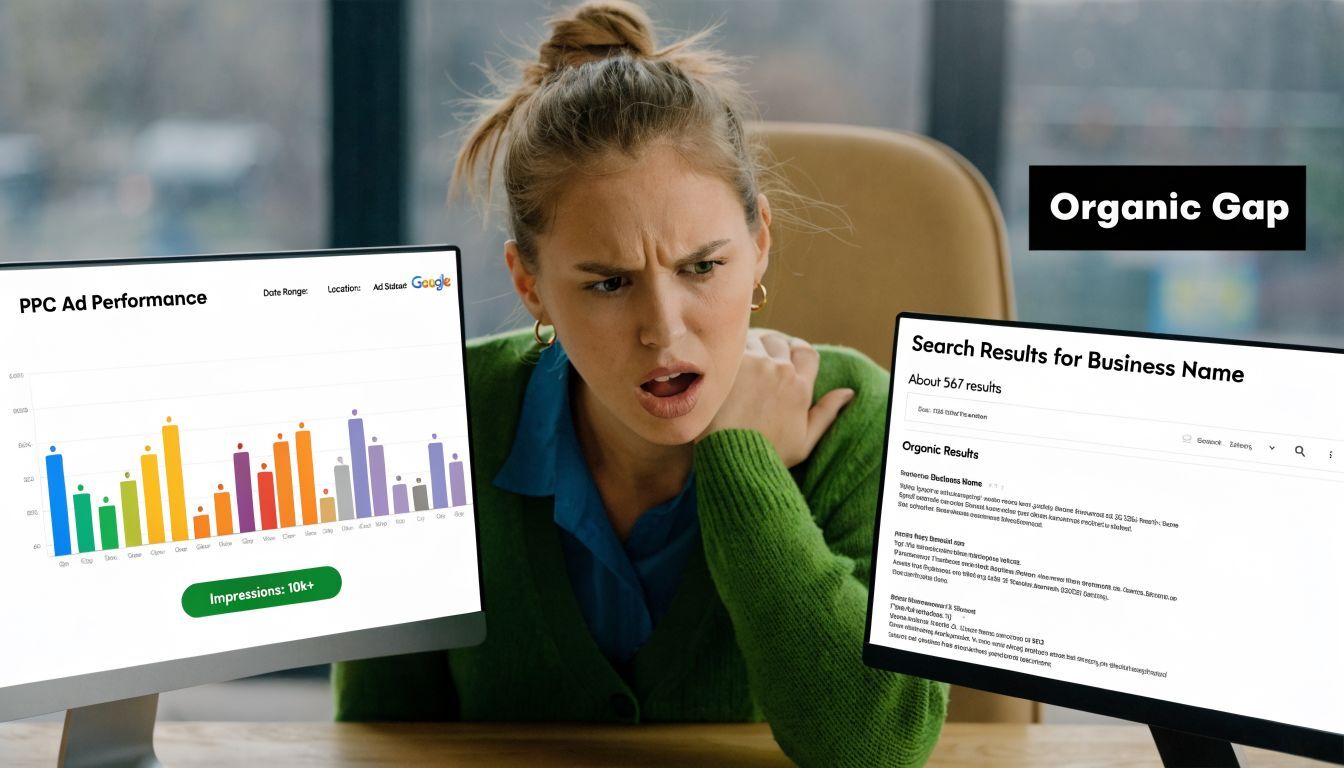
Most agencies keep paid and organic in separate boxes. The SEO team chases rankings. The PPC team chases ROAS. Nobody steps back and asks the obvious question: what is Google already telling us about buyer intent, page relevance, and topic authority?
That gap creates waste in three places:
Keyword waste because paid campaigns target terms your site already shows promise on organically, but nobody reallocates budget intelligently.
Landing page waste because ad traffic gets pushed to pages that convert “fine” while your stronger organic pages sit unused.
Insight waste because query data that should shape bidding, messaging, and account structure never makes it into the ad account.
What smart operators look at first
A CMO shouldn’t treat organic visibility as a vanity metric. Treat it as a market signal.
When I audit an account, I want to know:
What Google already associates with the brand
Which non-branded queries generate impressions
Which pages earn visibility without ad support
Where paid traffic is compensating for a weak site structure
That’s why share of search matters beyond brand marketing. It shows whether your presence in the category is strengthening or whether paid media is masking weak discoverability.
Practical rule: If paid search is doing all the work, your acquisition engine is fragile.
Organic visibility also changes how you evaluate paid performance. A campaign can look acceptable in-platform while still being inefficient at the business level. If your site could earn qualified traffic organically for some of those terms, paying for every click is a tax on bad coordination.
A dedicated PPC specialist holds an edge over a bloated agency model. One person sees the whole system. No handoffs. No junior account manager optimizing headlines in a vacuum. No SEO team tossing keyword ideas over the wall once a quarter. Just direct interpretation of search behavior and faster decisions tied to revenue.
The Two-Second Index Check Agencies Often Miss
The fastest way to find your website on Google is also the one too many agencies skip.
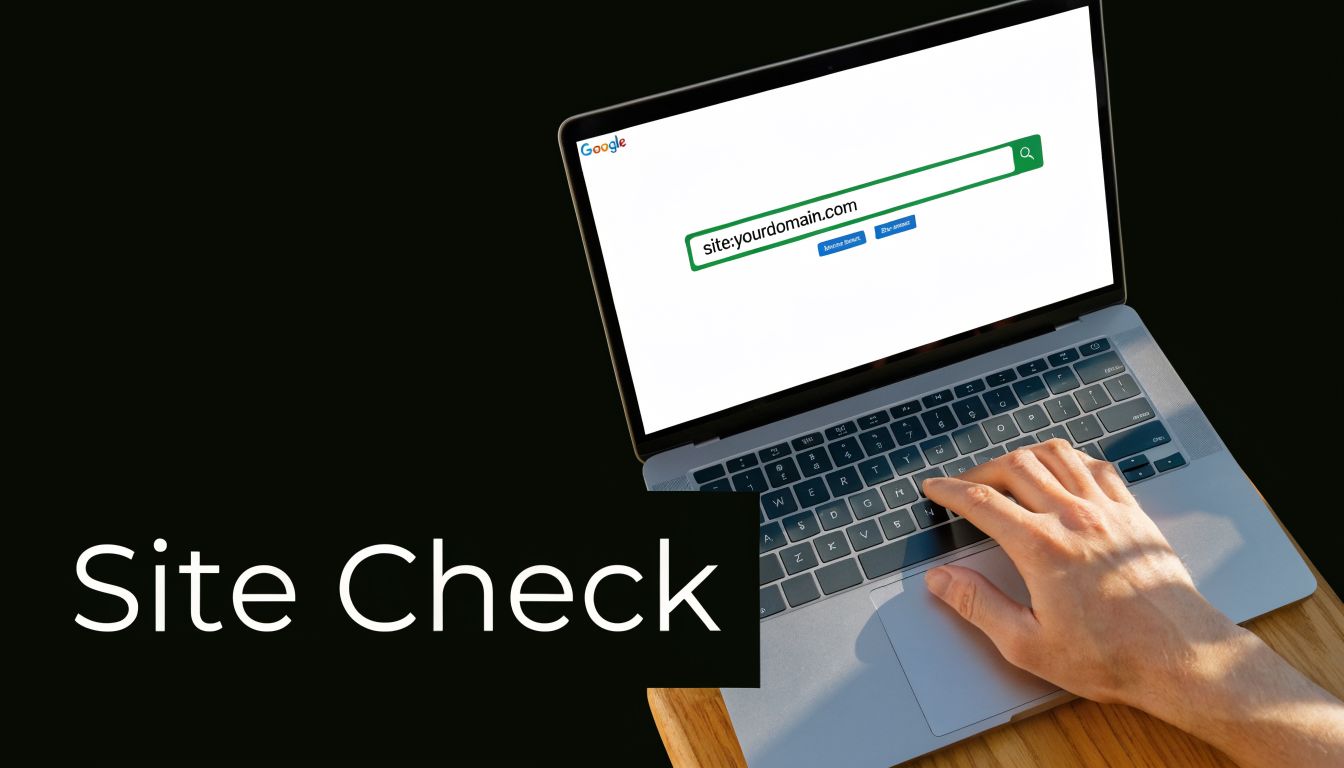
Go to Google and search site:yourdomain.com.
That query tells you what Google has indexed from your domain. Indexed means Google knows the page exists and considers it eligible to appear in search. If the results are thin, wrong, or nonexistent, you’ve identified a core visibility problem before opening a single paid media dashboard.
What the results actually mean
If you see your homepage, main service pages, and key content pieces, that’s a decent starting point. It doesn’t mean you rank well. It means Google has at least admitted you into the building.
If you see nothing, or you see a handful of junk URLs, tag pages, or staging leftovers, you have an indexing issue. According to Google’s SEO starter guide, checking indexation with the site:yourdomain.com operator is the first move, and if no results appear, you need to accelerate discovery manually. The same guidance notes that sites following Search Essentials are indexed over 95% faster, and 40% of businesses fail Search Console verification because of incorrect URL protocols like http vs https.
That last point matters more than people think. I regularly see companies “set up” in Search Console, but verified on the wrong version of the site. The team assumes they have visibility into indexing. They don’t.
The immediate actions
If the site check looks weak, do these next:
Verify the exact property in Google Search Console Match the actual site version exactly.
Submit your sitemap Give Google a clean list of your important URLs.
Inspect priority URLs individually Don’t wait for Google to stumble across your revenue pages.
For a plain-English overview of the mechanics, Wistec’s guide to Google Indexing is useful, especially if you need a quick refresher before pushing your dev team.
If Google hasn’t indexed your key pages, every discussion about ranking, Quality Score, or content strategy is premature.
That’s also where this short walkthrough helps. Watch it after you’ve done the manual search so you know what you’re looking for.
Why this matters for paid media
A weak indexing footprint often shows up in paid search indirectly. Landing pages underperform. Ad relevance lags. Brand trust is thinner than it should be. Users click an ad, then see a site that barely exists in organic search. That friction doesn’t help conversion.
Agencies often miss this because they’re paid to manage the media account, not to think clearly about the whole search presence. That’s the difference between task execution and actual consulting.
Mastering Search Console for True Visibility Data
If you rely on third-party SEO tools before checking Google Search Console, you’re doing it backward.
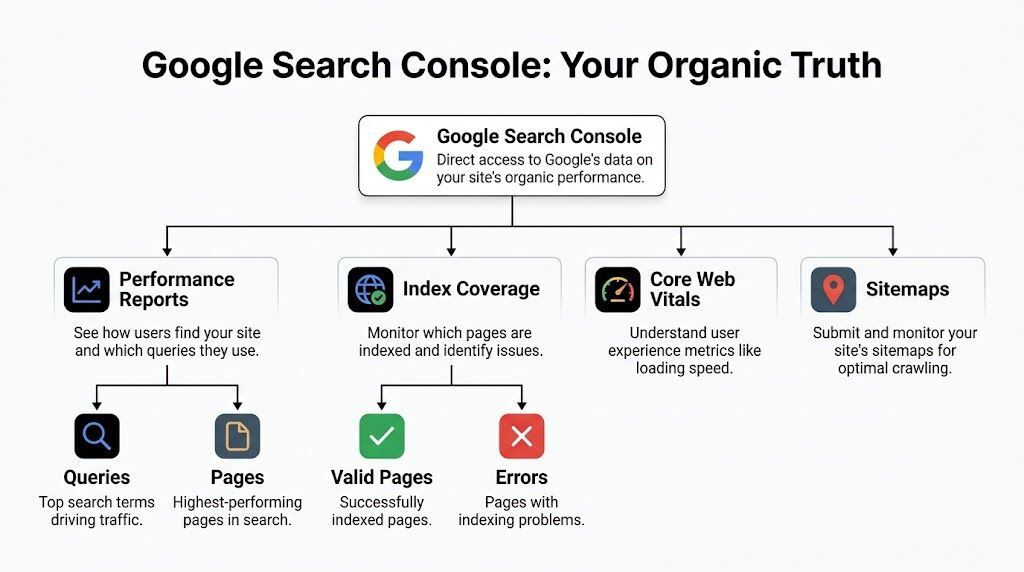
Google Search Console is the closest thing you have to a source-of-truth view of how Google sees your site. It was launched in 2015 as a rebrand of Google Webmaster Tools, which originally arrived in 2006. For practical purposes, it’s still the primary free tool for understanding how users find your site on Google and how your pages perform in organic search, as outlined in MonsterInsights’ overview of Google Search Console keyword reporting.
The report that matters most
Open the Queries report. That’s where you see the search terms driving visibility and clicks.
The core metrics are straightforward:
Metric |
What it tells you |
|---|---|
Clicks |
Visits from Google Search results |
Impressions |
Times your site appeared in results |
CTR |
Percentage of impressions that turned into clicks |
Average position |
Where your page tended to rank |
MonsterInsights notes that a keyword with 1,500 impressions and 150 clicks has a 10% CTR, which is the kind of simple ratio every CMO should be able to interpret quickly. The same source states that organic search drives 53% of all website traffic, and that combining GSC insights with PPC data typically reduces acquisition costs by 20-30% for the author’s clients.
That last point is exactly why I care about Search Console inside a paid media engagement. Organic data isn’t separate from PPC strategy. It’s input for it.
What to look for inside Queries
Don’t stare at the whole report. Sort for patterns.
High impressions, low clicks These are terms where Google already gives you visibility, but your page or snippet isn’t converting interest into traffic. That often makes them strong paid search candidates while you improve the organic result.
Strong query, wrong landing page If Google keeps surfacing a support article or blog post for a high-intent commercial term, your site architecture is sending mixed signals.
Branded terms dominating the report That usually means your non-branded discovery is weak, and your ad account may be over-relying on branded capture.
Operator insight: The best PPC keyword ideas often come from organic queries that are close to relevance but not yet winning enough clicks.
Use Search Console with Analytics, not instead of it
Connect Search Console to Google Analytics so you can line up query visibility with on-site behavior. If you need a clean setup reference, this guide on including Google Analytics on your website is the right operational mindset: get the tracking right first, then make decisions.
I also recommend keeping a lightweight working doc with three columns:
Query
Best existing page
Paid action
That paid action might be “build exact-match ad group,” “test on high-intent search,” or “exclude because organic already owns it.”
For teams that want a practical companion resource, Studio Blue Creative has a useful walkthrough on how to use Google Search Console for SEO. Use it to orient internal stakeholders. Then get back to the revenue questions.
What agencies miss here
Agencies love reporting platforms because reporting platforms make shallow work appear more substantial. Search Console cuts through that. It tells you what Google is surfacing, what users are searching, and where your paid strategy is disconnected from search reality.
That’s why I trust raw platform data over polished agency decks every time.
Diagnosing the Invisible Website Problem
Some sites are indexed and still effectively invisible. That’s a different problem, and it’s usually more frustrating because the homepage appears in Google, the team assumes everything is fine, and revenue pages subtly disappear from discovery.
When I see that pattern, I stop talking about “SEO” in the abstract and start looking for blockers. Usually the issue is not mysterious. It’s operational.
The usual culprits
Start with the files and tags that control access.
robots.txt problems This file can block crawlers from sections of the site. Sometimes that’s intentional. Often it’s sloppy.
noindex tags A page can exist, work perfectly, and still carry code telling Google not to index it.
Broken or missing sitemap If the sitemap is outdated, incomplete, or absent, Google has a weaker roadmap to your important URLs.
Then move to structural issues that don’t look dramatic but hurt discovery.
Weak internal linking
Duplicate or conflicting canonical signals
Image assets with poor alt text
Pages buried too deep in navigation
According to Passionfruit’s analysis of ways to get your website found on Google, 30% of new pages remain unindexed after 90 days if they aren’t linked within two clicks of the homepage. The same source says improving image SEO by fixing alt text can boost image search visibility by 18% for local services and improve page experience scores by up to 12%.
Read this like a business problem
Here’s how those issues show up in real terms:
Technical issue |
Business consequence |
|---|---|
Revenue page blocked |
You buy traffic to a page Google barely trusts |
Weak internal links |
New content never gains visibility |
Confused canonical setup |
Authority gets split across duplicate URLs |
Unoptimized images |
Missed image discovery and weaker page experience |
Large agencies often underdeliver. This becomes clear as junior managers, while able to spot a broken ad extension, rarely trace weak paid performance back to crawl depth, template logic, or page-level indexing signals.
Diagnostic shortcut: If a key page isn’t visible, check whether Google can crawl it, index it, and understand its role in the site. In that order.
What to check in Search Console
Use URL Inspection on your priority pages and compare what you think the page is doing with what Google reports.
Look for:
Whether the page is indexed
Whether it’s allowed to be indexed
Whether Google found it through the sitemap or internal links
Whether the selected canonical matches the page you want ranking
If that sounds too technical for your in-house team, that’s exactly why this work needs senior eyes. Not more meetings. Not more dashboards. Actual diagnosis.
For CMOs who want a better framework for reading site performance without agency noise, this article on how to analyze website traffic is useful because it keeps the focus on decisions, not vanity metrics.
A blunt recommendation
Pick your top five money pages. Run each through URL Inspection. Review internal links to those pages. Confirm they’re in the sitemap. Confirm they don’t carry noindex directives. Confirm Google sees the canonical you want.
That one exercise usually tells you more than a month of agency status calls.
From Indexed to Ranked On-Page Signals That Matter
Once Google can find your pages, the next question is simple. Why should Google rank them?
Bad advice often gets expensive. You do not need another generic recommendation to “create valuable content.” You need pages that are relevant, fast, usable, and credible enough to earn visibility. The good news is that those same fixes usually improve paid performance too.
Start with page experience
Core Web Vitals matter because users hate slow pages and Google can measure that dissatisfaction. Jasper’s article on ranking higher on Google states that pages with Good Core Web Vitals scores rank 24% higher on average. The same source says you should aim for LCP ≤2.5s, and that 53% of visitors abandon a site if it takes longer than 3 seconds to load.
That’s not just an SEO problem. It affects paid search economics directly. Slow pages lower conversion rates, muddy landing page relevance, and make your media buying less efficient.
Use this short priority list:
Compress heavy images and serve modern formats where possible.
Reduce layout shifts so the page feels stable.
Audit mobile load speed because paid clicks increasingly come from phones.
Trim unnecessary scripts that delay rendering.
A landing page that loads slowly costs you twice. First in rank, then in conversion rate.
Build one page worth sending traffic to
Most companies spread effort across too many mediocre pages. I’d rather see one strong service page than ten vague ones.
That page should do a few things well:
Match the commercial intent of the keyword
Use a clear H1 and direct supporting copy
Explain the offer without fluff
Show trust signals and real expertise
Answer obvious objections
This is also where your keyword strategy needs discipline. If your ad groups target one intent and your landing page speaks to another, you pay for the mismatch. If your organic page already aligns with the query, use that knowledge in paid.
For a tighter planning process, this guide on how to build a keyword list for SEO success is useful because it forces alignment between terms, intent, and page purpose.
Authority still matters
Relevance alone doesn’t win competitive search results. Google also wants evidence that other reputable sites recognize your domain.
Jasper notes that sites with 10+ quality backlinks from reputable domains see 3.8 times more organic traffic. You don’t need gimmicks here. You need pages worth referencing, clear service positioning, and a site structure that supports authority instead of diluting it.
A few practical signals to tighten:
Schema markup on core service or article pages
Clear authorship or business identity
Strong internal links from supporting content to commercial pages
Consistent positioning across title tags, headings, and body copy
The paid search connection most teams miss
Google Ads doesn’t operate in a vacuum. Better pages often improve Quality Score, which is Google’s rating of ad relevance, landing page experience, and expected clickthrough performance. Better Quality Score can reduce what you pay for clicks and improve ad position.
That’s why I don’t separate on-page work from paid media strategy. They support the same objective. Better visibility, better user experience, better conversion efficiency.
If you’re spending serious money and your agency treats landing pages like an afterthought, replace the process, not just the headlines.
Can’t Wait for Google? The PPC Fast-Track to Visibility
Organic improvements matter. They also take time.
If your sales team needs demand now, use PPC the right way. Not as a substitute for understanding search behavior, but as the fast lane once you’ve done the diagnostic work.
That means you don’t launch campaigns based on keyword tool fantasies. You use the signals already sitting in your organic data. High-impression queries with weak organic click capture. Service terms where your site is indexed but not competitive yet. Pages that Google associates with a topic even if they don’t rank strongly enough to drive volume.
Where paid search earns its keep
A focused Google Ads program can do three things quickly:
Capture demand while SEO fixes are underway
Test message-market fit through ad copy and landing pages
Validate which queries deserve more organic investment
That’s the bridge siloed agencies miss. They run PPC as if the search engine gives them no prior clues. It does. You just have to read them.
For local businesses, there’s another underused lever. Local SEO Tactics’ piece on the hidden Google Business Profile website notes that publishing updates to a GBP with links can increase Google’s crawl frequency by 35%, and that a hybrid GBP+PPC approach can lower customer acquisition costs by nearly 28% by improving visibility in the local 3-pack.
That matters if you’re running campaigns for clinics, practices, home services, or any business where local intent drives revenue. Your Google Business Profile is not a side asset. It’s part of the search footprint.
The leaner model works better
This is also where the specialist model wins.
A dedicated consultant can look at Search Console, review the paid search terms report, assess the landing pages, and change direction quickly. An agency usually needs a strategist, an account manager, maybe an SEO lead, maybe a dev ticket, then a follow-up call to explain why nothing has happened yet.
If you want one practical move this week, do this:
Pull your top organic queries from Search Console.
Identify the terms with strong commercial intent.
Compare them against your paid keyword coverage.
Build or tighten campaigns around the gaps.
Send that traffic to the page Google already seems to trust most.
If you need outside help executing that process, Come Together Media LLC offers Google Ads consulting and PPC management for businesses that want direct strategy, account audits, and ongoing optimization without the agency layers.
If you’re spending heavily on PPC and still can’t clearly find your website on Google, the problem isn’t just visibility. It’s decision-making. A dedicated specialist can connect organic diagnostics to paid performance, clean up wasted spend, and give you a sharper acquisition strategy than a bloated agency ever will. If that’s the gap you need to close, talk to Come Together Media LLC.
